
Ideas for better growth
WhatsApp for Business: API or Click-to-Chat?
Chris Content · · 4 min read

A click-to-chat button, the Business app, and the Business Platform solve different problems at very different costs. How to choose the right one for your stage.
WhatsApp is the default customer channel in many markets, and the choice of how to run it is usually made backwards - a business buys an expensive platform before it has enough conversations to justify one, or runs a growing operation off one person's personal phone.
There are three practical options. This guide covers what each is for.
Option 1: Click-to-chat link or button
A link that opens WhatsApp with your number and, optionally, a pre-filled message. No account with a provider, no monthly fee, no integration.
Good for:
- Any business starting out on the channel
- Product and service pages where a quick question unblocks a purchase
- Contact pages, alongside a phone number and form
- Low to moderate conversation volume handled by one or two people
Limitations:
- No routing, no shared inbox, no automation
- No conversation history beyond the phone itself
- Hard to measure beyond click counts
- Ties the channel to a specific device
The WhatsApp Chat widget sets this up with a pre-filled message that carries page context, so the conversation starts with the agent already knowing what the visitor was looking at. Our WhatsApp playbook covers how to run it well.
Option 2: The WhatsApp Business app
A free app designed for small businesses, with a business profile, catalogue, quick replies, labels, and away messages.
Good for:
- A single location or a small team sharing one device
- Businesses that want a catalogue and greeting messages without integration work
- Moderate volume where one person can keep up
Limitations:
- Limited multi-device and multi-agent use
- No proper integration with a CRM
- Automation is basic
- It does not scale past a handful of people
Option 3: The WhatsApp Business Platform
The programmatic option, accessed through an approved provider. It supports many agents, routing, automation, templated outbound messages, and integration with other systems. It is priced per conversation, with the specifics set by the platform and your provider.
Good for:
- Several agents needing a shared inbox and assignment
- Order confirmations, shipping updates, and delivery notifications at volume
- Integration with a CRM or order system
- Businesses where WhatsApp is a primary support channel
Costs and constraints:
- Per-conversation pricing, plus whatever your provider charges
- Outbound messages outside the customer-initiated window must use approved templates
- Opt-in requirements for proactive messaging
- Setup effort: verification, number migration, provider onboarding
Do not migrate a number to the Platform casually. It is a one-way move for that number in practical terms, and the app's features are no longer available on it.
How to choose
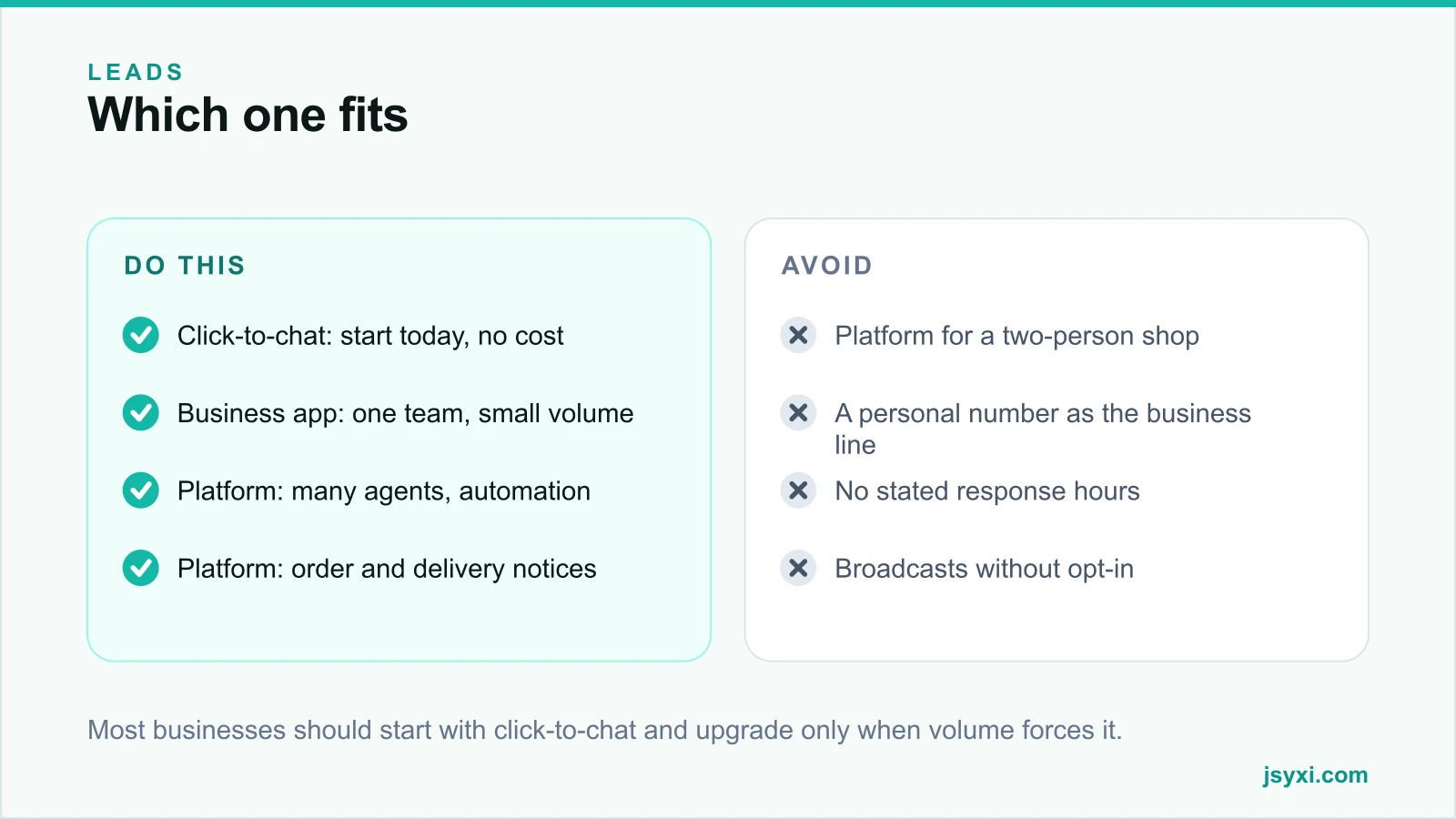
Start with the smallest option that solves your actual problem:
- Under about twenty conversations a day, one or two people: click-to-chat, or the Business app.
- A shared inbox for three or more agents: Platform through a provider.
- You need automated order or delivery notifications: Platform, because templated outbound messaging requires it.
- You need conversations in your CRM: Platform.
Upgrade when a specific limitation is costing you money - missed messages, no history, or a person tied to a phone. Not before.
Get the fundamentals right whichever you choose
- Publish response hours. An unanswered chat is worse than no chat button. Pair it with a Business Hours widget.
- Use a business number, not someone's personal phone.
- Pre-fill context so the conversation starts with the page and product.
- Log outcomes somewhere. Conversations that never become records are lost pipeline - see wiring your website into your CRM.
- Respect opt-in. Broadcasting to people who did not consent gets numbers blocked and damages trust.
- Set an out-of-hours message with a genuine next step.
Where to place the button
- Product and service pages, near the decision
- Contact page, beside the form and phone number
- Order confirmation, for post-purchase questions
- Not on checkout, where it can cover the pay button on mobile
Check on a real phone that the launcher does not sit over the primary action with the keyboard open.
Common mistakes to avoid
- Buying a platform before the volume exists. Per-conversation costs on low volume are poor value.
- A personal number as the business line. It cannot be handed over and cannot be shared.
- No stated hours. Visitors expect chat to be instant.
- Unsolicited broadcasts. They get you blocked and reported.
- No record of what was discussed. The channel produces revenue you cannot attribute.
Frequently asked questions
Do I need the WhatsApp Business API for a small store?
Usually not. A click-to-chat button or the free Business app handles low volume well. Move to the Platform when you need multiple agents, a shared inbox, automated notifications, or CRM integration.
How much does the WhatsApp Business Platform cost?
It is priced per conversation, with rates that vary by conversation category and country, plus whatever your provider charges on top. Check current pricing with a provider before committing, as the model has changed over time.
Can I use my personal WhatsApp number for business?
You can, but you should not. It cannot be shared across a team, cannot be handed over when someone leaves, and mixes personal and business conversations in one inbox.
Do I need consent to message customers on WhatsApp?
For proactive, business-initiated messages, yes. Collect opt-in explicitly, keep a record of it, and make opting out easy. Replies within a customer-initiated conversation are treated differently.
Next steps
If you are not on WhatsApp yet, add a click-to-chat button with a pre-filled message to your three highest-intent pages and publish your response hours. Upgrade only when a real limitation starts costing you.
Start free and get the button live today.