
Ideas for better growth
Wiring Your Website Into Your CRM
Chris Content · · 5 min read

Turn form submissions and chats into tracked records with owners, sources, and follow-ups - so you can see which pages produce revenue, not just traffic.
A website that generates enquiries and a CRM that stores customers are only useful together if the path between them is automatic. When it depends on someone forwarding an email, the path fails on the busiest days - exactly when the enquiries matter most.
This guide covers what that path should carry and where it usually breaks.
What every captured enquiry must carry
The value of a lead record is in its context. At minimum, capture:
- Contact details as entered
- The enquiry text in the customer's own words
- Source page URL, so you know which content produced it
- Referrer and campaign parameters, preserved from the first visit
- Timestamp in your working timezone
- Form or widget identifier, so you can compare capture points
- Any structured inputs - calculator selections, chosen options, PIN code
- Device type, which often explains follow-up channel preference
Miss the source and you will never know which marketing produced revenue. Miss the enquiry text and your first reply will be generic.
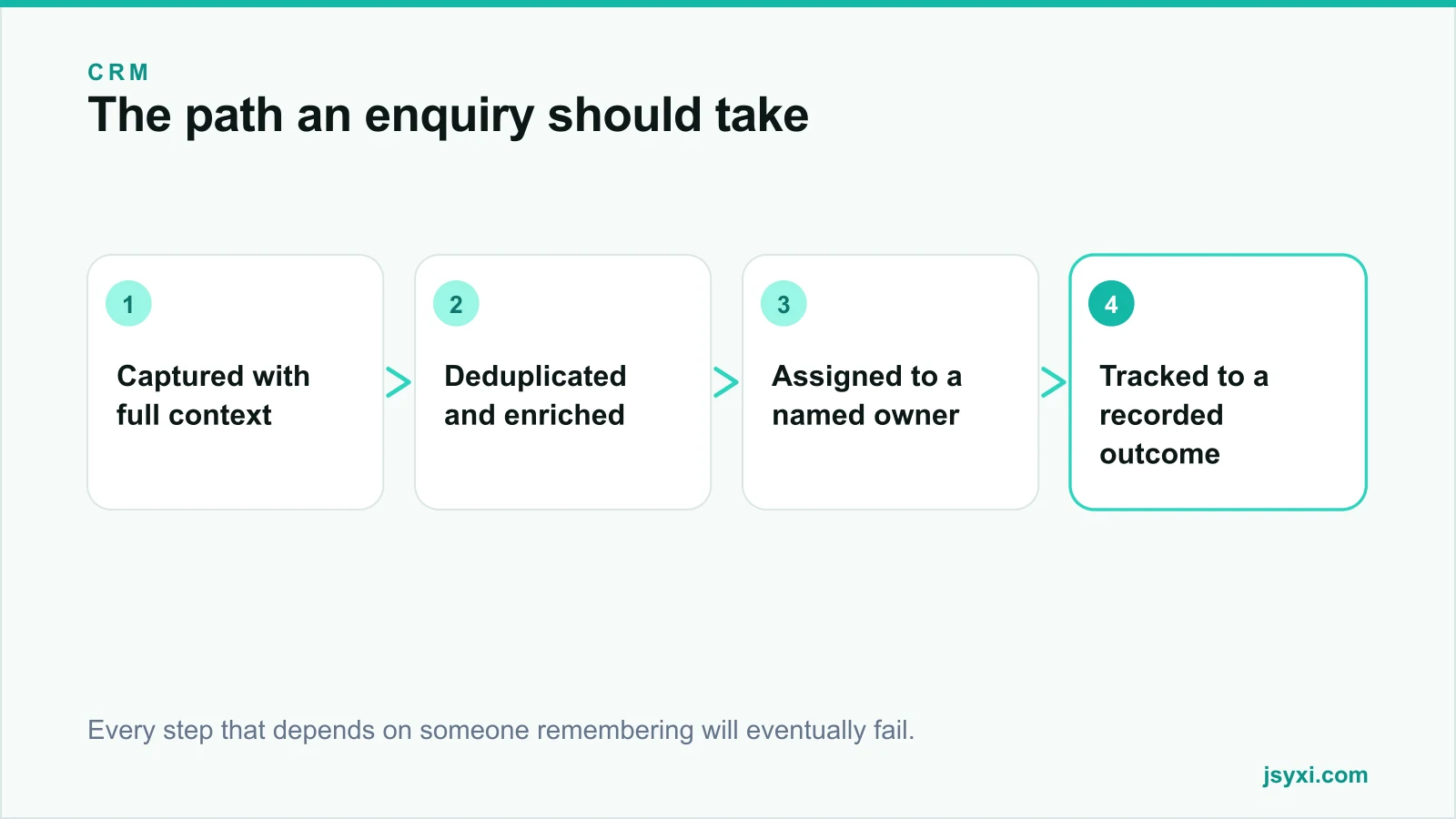
Step 1: Capture without manual entry
Every capture point on the site should write into the same queue:
- Contact and enquiry forms
- Quote requests from a price calculator
- Chat conversations, including WhatsApp handoffs
- Callback requests
- Event and webinar registrations
- Newsletter signups, tagged distinctly so they are not treated as sales leads
If any of these lands only in an inbox, it is outside the process and will eventually be lost.
Step 2: Preserve the attribution chain
Attribution breaks in predictable places:
- Campaign parameters lost when the visitor navigates before enquiring
- Multi-session journeys where the enquiry happens days after the first visit
- Cross-device journeys - discovered on a phone, submitted on a laptop
- Redirects that strip parameters
Store the first-touch source on the visitor's first session and carry it through to submission, rather than recording only the last page. Otherwise every enquiry looks like it came from your homepage.
Respect consent when doing this - see our privacy compliance guide.
Step 3: Deduplicate on arrival
Repeat enquiries from the same person are common and create noise:
- Match on phone and email, normalised to a standard format
- Attach the new enquiry to the existing contact rather than creating a duplicate
- Keep both enquiries visible in the history
- Alert the existing owner rather than assigning a new one
Duplicate records are the fastest way to have two people call the same customer about the same thing.
Step 4: Assign an owner immediately
Automatic assignment removes the most common failure in the whole chain:
- Round robin for general enquiries
- Rules by geography, product line, or value where it matters
- A defined fallback if the assignee is unavailable
- Notification on a channel the owner actually watches
- Escalation if there is no first touch within your target window
Our post on speed to lead covers why this matters more than almost anything else.
Step 5: Track to a recorded outcome
Every record should end somewhere:
- Move through agreed stages with objective criteria
- Log every interaction the same day
- Record a loss reason from a fixed list
- Never leave a record open indefinitely
See our qualification framework for the stage design.
Step 6: Close the loop back to marketing
The point of carrying source data through is to answer one question: which pages and campaigns produce revenue?
Report on:
- Enquiries by source page and campaign
- Qualification rate by source, not just volume
- Closed revenue by source
- Cost per qualified lead, where you have spend data
A page that produces many unqualified enquiries can look like your best performer on volume and your worst on revenue. Only the closed-loop report shows this.
Step 7: Handle failure explicitly
Integrations break quietly. Build for it:
- Retry failed writes
- Keep a fallback copy of every submission, so nothing is lost if the CRM is unavailable
- Alert someone when the integration fails, rather than discovering it a week later
- Reconcile counts weekly - submissions received versus records created
- Test the whole path after any website or CRM change
A silent integration failure can cost weeks of enquiries before anyone notices the queue has gone quiet.
Common mistakes to avoid
- Email as the integration. Inboxes are not queues.
- Recording only last-touch source. Everything appears to come from the homepage.
- No deduplication. Two people call the same customer.
- No failure alerting. Silence looks like a slow week.
- Never reconciling counts. You cannot trust a number you never check.
Frequently asked questions
How do I connect website forms to my CRM?
Use a form tool that writes directly into your lead queue with the source page and campaign attached, or an integration that posts submissions to the CRM's interface. Always keep a fallback copy so nothing is lost if the write fails.
What data should I capture with each lead?
Contact details, the enquiry in the customer's words, source page, campaign parameters, timestamp, and any structured inputs such as calculator selections. That combination lets you reply specifically and report accurately.
How do I track which page produced a sale?
Store the first-touch source when the visitor arrives, carry it through to submission, and keep it on the record through to closure. Then report closed revenue by source rather than reporting enquiry volume.
What if the integration fails?
Retry, keep a fallback copy of every submission, alert a person when writes fail, and reconcile submission counts against created records weekly.
Next steps
Submit a test enquiry through every capture point on your site and check what actually arrives in your CRM. Anything missing source, context, or an owner is a gap worth closing this week.
For a workflow built around your process rather than a generic template, see our custom CRM development service.