
Ideas for better growth
No-Code or Custom Development: Choosing Well
Chris Content · · 4 min read
No-code tools are the right answer more often than developers admit and less often than vendors claim. A practical framework for deciding, and for combining both.
The no-code versus custom debate is usually argued as an identity question - developers defend code, vendors defend platforms - when it is really a question about where a specific piece of work sits.
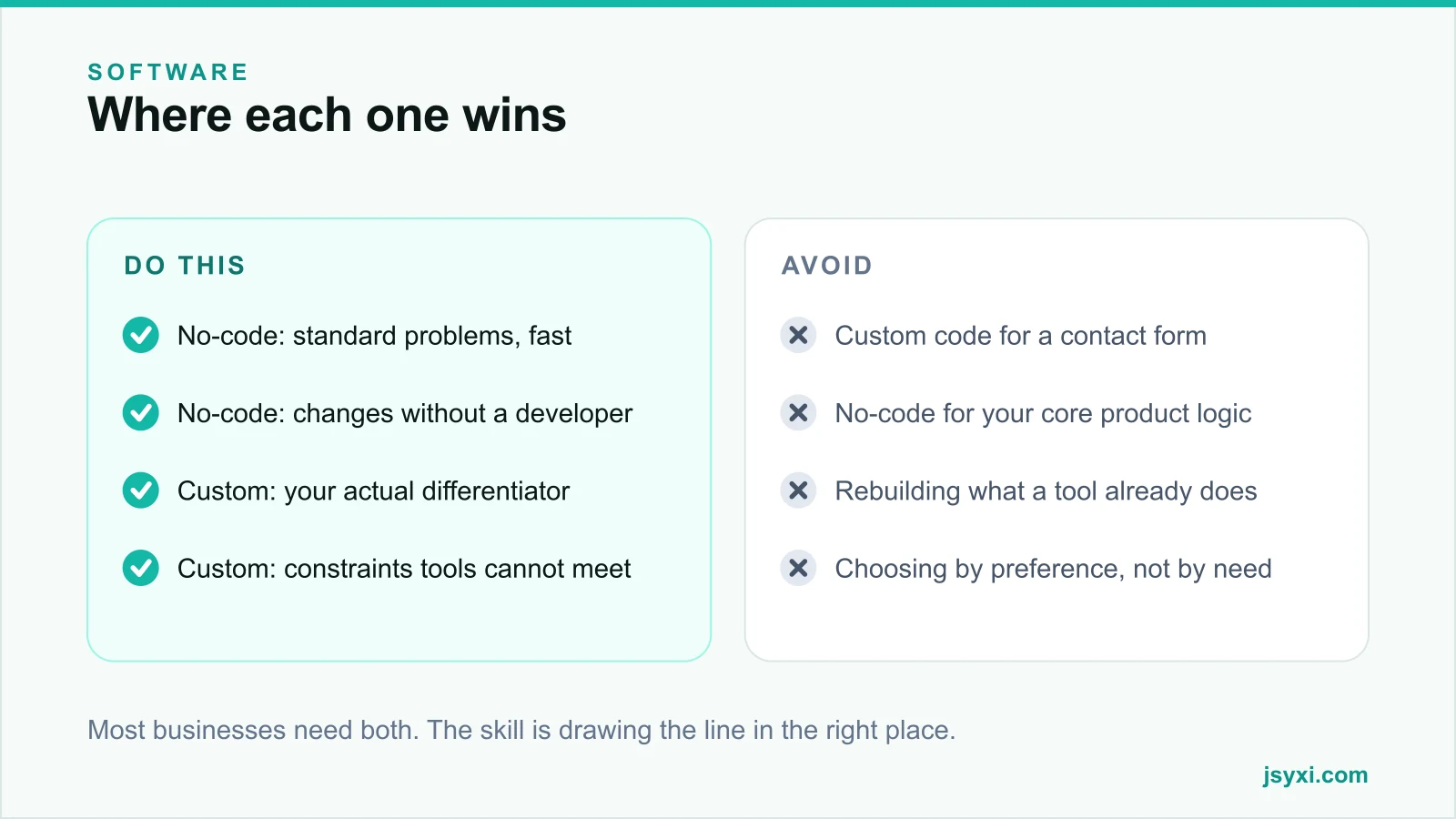
Most businesses need both. The useful skill is knowing where to draw the line.
Where no-code genuinely wins
For standard problems with standard shapes, a good tool is almost always the better choice:
- Speed. Live this afternoon rather than in three weeks.
- Cost. A subscription against a build plus ongoing maintenance.
- Independence. Marketing can change a form, a banner, or an FAQ without a developer ticket.
- Maintenance. Browser changes, security patches, and accessibility fixes are the vendor's problem.
- Proven behaviour. Edge cases have been found by thousands of other users.
Typical fits: contact and enquiry forms, FAQs, reviews, popups, countdowns, galleries, maps, booking links, landing pages, newsletters, and most storefront widgets. Building these from scratch is nearly always a poor use of developer time.
That is exactly the space our widget catalogue covers: standard storefront elements, configured visually, published with one embed line.
Where custom development wins
Custom is right when the thing is genuinely yours:
- Your differentiating workflow. The process that is your competitive advantage.
- Deep integration. Systems that must talk to each other in ways no connector supports.
- Performance or scale constraints that platforms cannot meet.
- Data handling requirements - residency, retention, or security - that vendors cannot satisfy.
- Cost inversion at scale. When per-seat or per-conversation pricing exceeds the build and run cost.
- Product logic, if software is what you sell.
See our guide on custom software versus SaaS for the fuller decision.
The questions that decide it
For each piece of work, ask in order:
- Is this problem standard? If thousands of businesses have it, buy the solution.
- Does a tool meet the must-haves? Not the nice-to-haves.
- Would changing our process remove the need? Often the cheapest answer.
- Is this how we compete? If yes, consider building.
- Can we fund it for five years? If no, do not build.
- What happens if the vendor disappears? Can you export and move?
Most work stops at question one or two.
The hybrid that usually wins
The pattern that works for most small and mid-sized businesses:
- No-code for the storefront layer. Forms, FAQs, reviews, popups, galleries, and announcements - changeable by the people who own the content.
- A standard platform for commerce or the core system, extended lightly.
- Custom for the one workflow that is genuinely yours, integrated cleanly.
This gives non-technical staff control over what changes weekly, and reserves engineering effort for what actually differentiates you.
Watch the failure modes on both sides
No-code failure modes:
- Tool sprawl - eight subscriptions doing overlapping jobs, each loading its own scripts
- Performance cost from many separate third-party embeds
- Lock-in with no export path
- Hitting a hard limit halfway through an important project
- Nobody owning the configuration
Custom failure modes:
- Rebuilding a solved problem badly
- One developer, no documentation, and a notice period
- Maintenance nobody budgeted for
- Building the differentiator last, after everything ordinary
- Technology chosen for novelty rather than support
Practical guardrails
Whichever side a piece of work lands on:
- Own your data. Check the export path before you commit, on both sides.
- Own your accounts and domains, always in your business name.
- Name an owner for every tool and every custom component.
- Document the boundary - what is configured, what is built, and how they connect.
- Review annually. A tool that fit two years ago may not fit now, and a custom component may now be available off the shelf.
Common mistakes to avoid
- Building a contact form. It is a solved problem with accessibility and spam edge cases you will get wrong.
- Running core business logic in a no-code tool that cannot be tested or version-controlled.
- Choosing by preference. Developers over-build; vendors over-sell. Decide per piece of work.
- Ignoring the accumulated weight of many separate no-code embeds on page speed.
- Never reviewing. Both sides of the line move over time.
Frequently asked questions
Is no-code good enough for a business website?
For the standard parts - forms, FAQs, reviews, galleries, popups, landing pages - yes, and it is usually the better choice. Reserve custom development for the workflow that genuinely differentiates you.
When should I move from no-code to custom?
When a tool blocks something that costs you real money, when per-unit pricing at your scale exceeds the build and run cost, or when the workflow has become your competitive advantage.
Do no-code widgets slow down a website?
Many separate embeds do, because each adds a domain, a download, and main-thread work. Consolidating widgets into one lightweight source keeps the benefit without the accumulation - see Core Web Vitals with widgets.
Can I combine no-code and custom development?
That is usually the right answer: no-code for the content and storefront layer that changes weekly, custom for the workflow that is genuinely yours, with clean integration between them.
Next steps
List your current and planned work, and mark each item as standard or differentiating. Buy the standard ones this week and reserve your engineering budget for the rest.
Start free for the storefront layer, or talk to us about our software development service for the part that is genuinely yours.