
Ideas for better growth
Redesigning a Website Without Losing Traffic
Chris Content · · 5 min read
Redesigns are the most common cause of sudden traffic loss. How to plan, migrate URLs, preserve content, and verify - before and after launch.
A redesign is the most reliable way for a business to lose search traffic overnight. It happens the same way every time: new site, new URLs, no redirects, content trimmed for visual reasons, and a staging directive that came along for the ride.
All of it is preventable, and most of it is preventable in a spreadsheet.
Before: benchmark what you have
You cannot detect a loss without a baseline. Record, for the 90 days before launch:
- Sessions and conversions by landing page
- Top pages by organic traffic and by revenue
- Queries you rank for, with average position
- Core Web Vitals field data
- Indexed page count
- Backlinks by target page - these are the pages that must not break
Export it and keep it. This is your evidence for what changed.
Before: build the redirect map
This is the single most important task in any redesign.
- Export every URL from the old site - crawl it rather than trusting a sitemap
- Include pages that are not linked any more but still receive traffic or links
- Map each old URL to its closest equivalent
- Redirect permanently, in a single hop, never through a chain
- If there is genuinely no equivalent, map to the most relevant category, not the homepage
Redirecting everything to the homepage is treated as a soft error, and it discards the accumulated value of every page. Where content is genuinely gone with no successor, return a proper 404 or 410 rather than a fake success page.
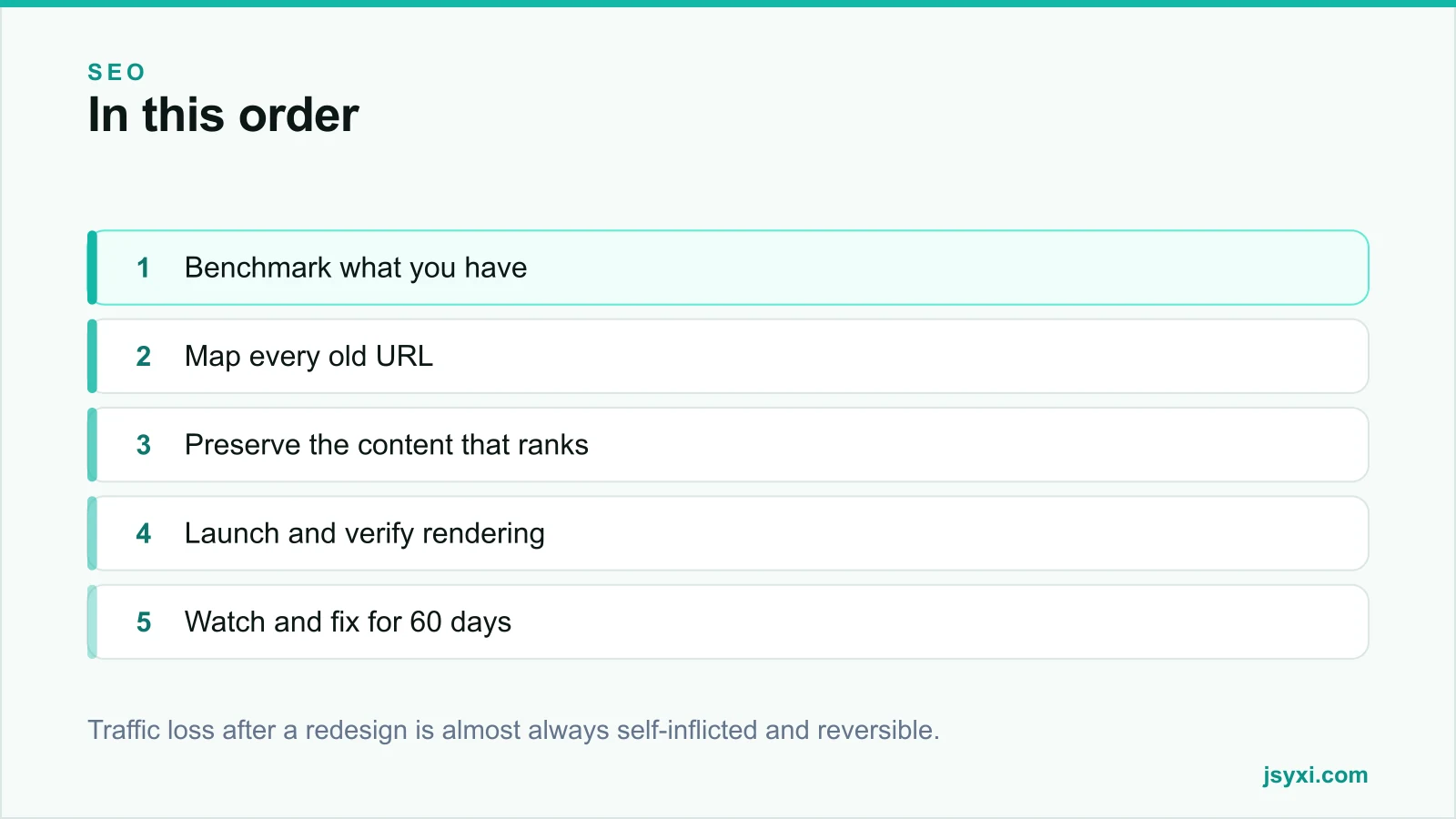
Before: keep the content that earns
Redesigns often trim copy for visual balance. That copy is frequently why the page ranks.
- Identify the pages driving organic traffic and revenue
- Preserve their substance - headings, the questions they answer, the depth
- Keep the H1 and title unless you have a specific reason to change them
- Do not move important content behind tabs or accordions that load only on interaction
- Keep internal links; navigation-only linking weakens deep pages, see internal linking
If a page must be shortened, check first whether the removed section is what it ranks for.
Before: check the technical basics on staging
- Remove any noindex from the staging environment - the most damaging and most common launch error
- Confirm robots.txt does not disallow anything important
- Self-referencing canonicals on every page
- Structured data carried across - see our schema guide
- Titles and meta descriptions migrated, not regenerated as templates
- Image alt text preserved
- Performance measured on a mid-range phone, compared against the old site
Our technical SEO checklist covers the full list.
Launch: verify rather than assume
On the day:
- Take a full backup of the old site, including the database
- Lower DNS time-to-live in advance
- Launch in your quietest window, never on a Friday
- Spot-check twenty important redirects manually
- Inspect several live URLs in Search Console and confirm they render as expected
- Confirm analytics is recording and firing once
- Submit the new sitemap
The full sequence is in our website launch checklist.
After: the first 60 days
Some fluctuation is normal while search engines recrawl. A sustained drop is not.
Week 1
- Watch 404 logs daily and add redirects for anything with real traffic
- Check server error logs
- Verify forms are delivering, not silently failing
- Compare traffic and conversions with your benchmark
Weeks 2 to 8
- Watch the indexing report for pages excluded unexpectedly
- Compare rankings for your top queries against the benchmark
- Check Core Web Vitals field data as it accumulates
- Investigate any page that lost significant traffic individually - usually a missing redirect, thinner content, or a lost internal link
When traffic does drop
Diagnose in this order:
- Indexing - is the page indexed at all?
- Redirect - does the old URL resolve in one hop to the right place?
- Content - did the page lose the section it ranked for?
- Internal links - is it still linked from somewhere meaningful?
- Speed - did the new theme make it slower?
Most losses trace back to one of these five, and all five are fixable.
Common mistakes to avoid
- No redirect map. The single largest cause of post-redesign loss.
- Redirecting everything to the homepage. It throws away every page's history.
- Staging noindex left live. It removes the site from search entirely.
- Trimming the copy that ranks. Visual balance is not worth the traffic.
- No benchmark. You cannot prove or diagnose what you did not measure.
Frequently asked questions
Why did my traffic drop after a website redesign?
Most commonly missing or incorrect redirects, a staging noindex left in production, content removed from pages that ranked for it, or internal links lost in the new navigation.
How long should old URLs redirect after a redesign?
Indefinitely where practical, and at least a year at minimum. Links and bookmarks persist far longer than teams expect, and removing redirects later reintroduces the loss.
Should I change URLs during a redesign?
Only where there is a clear reason. Every changed URL needs a redirect and loses a little value in transit. Keeping the existing structure is usually the safer choice.
How long does it take to recover after a redesign?
Minor fluctuation settles within a few weeks. A drop caused by missing redirects or removed content recovers only once the underlying cause is fixed, then takes several weeks more to stabilise.
Next steps
Before anything else, crawl your current site and build the redirect map. Benchmark your top pages and queries, and check the staging site for a noindex directive before launch day.
If you want it handled end to end, see our digital marketing and SEO service.