
Ideas for better growth
A Technical SEO Checklist for Small Businesses
Chris Content · · 5 min read

The technical work that actually matters for a small site: crawlability, indexing, canonicals, sitemaps, speed, and the mistakes that quietly hide your pages.
Technical SEO for a small business is not an exotic discipline. It is a short list of things that must be true, most of which break silently.
This checklist covers the work that actually affects whether your pages can be found, in the order worth doing it.
1. Make sure your pages can be crawled
Start with what is blocking access:
- robots.txt - confirm it does not disallow anything important. The classic disaster is a staging rule copied to production that blocks the whole site.
- noindex tags - check your key pages do not carry one. Another common leftover from a staging environment.
- Login walls and age gates - if content is only visible after interaction, crawlers may never see it.
- Server errors - repeated 5xx responses reduce crawling.
Verify by inspecting a live URL in Google Search Console rather than trusting the source code. What matters is what the crawler renders.
2. Have one canonical version of each page
Duplicate URLs split signals and confuse indexing. Pick one version and enforce it:
- HTTPS, not HTTP
- One host - either with or without www, consistently
- Consistent trailing slash behaviour
- Lowercase URLs
- Parameters that do not create endless variants
Then redirect the alternatives with permanent redirects, and set a self-referencing canonical tag on each page. For paginated or filtered listings, canonicalise deliberately rather than by accident.
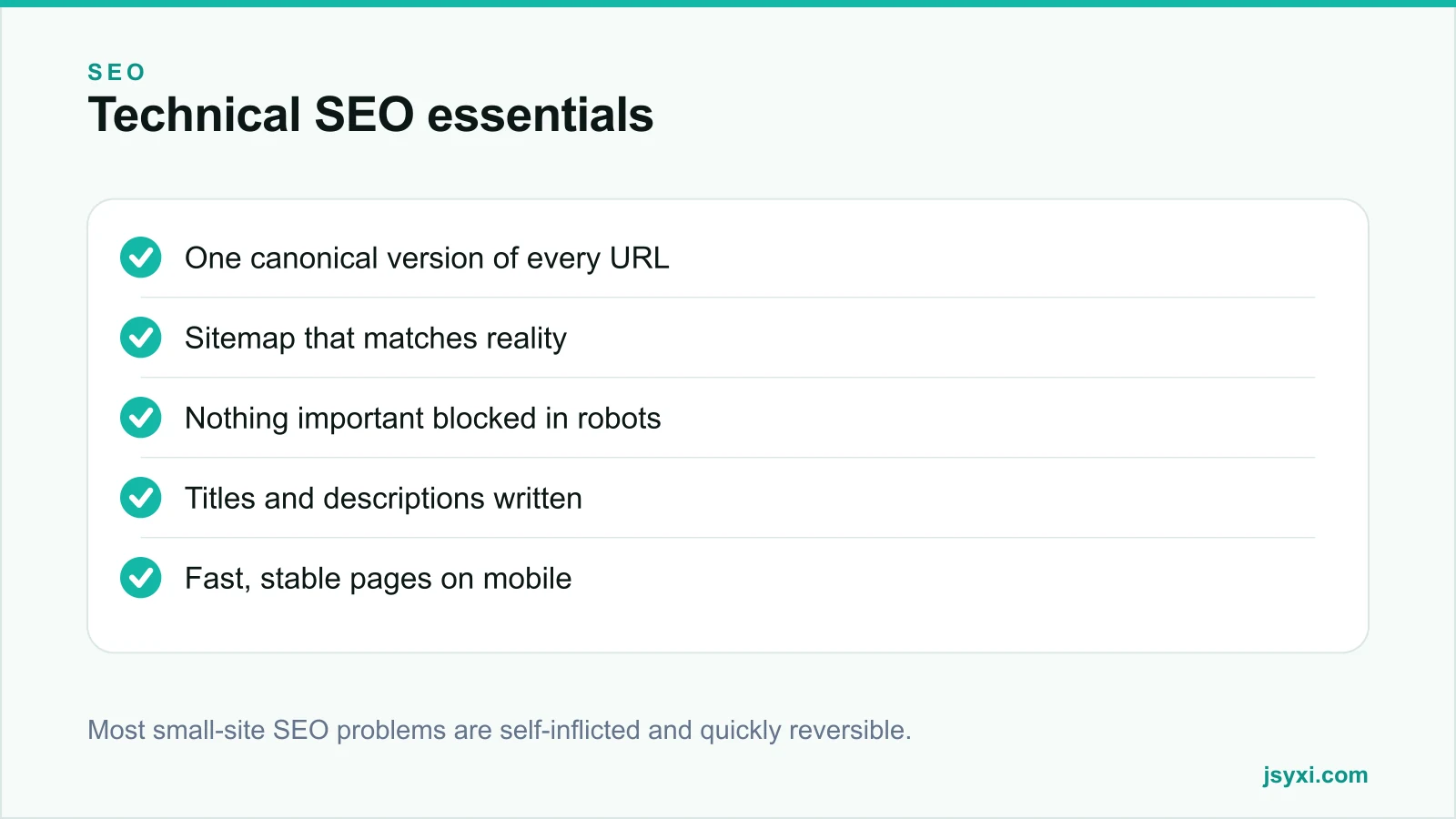
3. Publish a sitemap that reflects reality
A sitemap should list the URLs you want indexed, and nothing else:
- Only canonical, indexable, live URLs
- Accurate last-modified dates that actually change when content changes
- No redirects, no 404s, no noindex pages
- Submitted in Search Console and referenced from robots.txt
A sitemap full of stale or redirecting URLs wastes crawl budget and signals carelessness.
4. Write titles and descriptions deliberately
These are still the cheapest wins available:
- Title - unique per page, describing the page in words people search, with the important part first. Keep it short enough not to be truncated.
- Meta description - a sentence or two that earns the click. It is not a ranking factor, but it affects click-through.
- One H1 per page, matching the page's actual subject.
- Heading hierarchy that reflects structure, not visual size.
Auto-generated titles across a whole catalogue are a wasted opportunity on your top pages. Write those by hand.
5. Fix your URL structure once
- Short, readable, hyphen-separated, lowercase
- Words a human would recognise
- Stable - changing URLs later costs you links unless redirected properly
- No session identifiers or tracking parameters in indexable URLs
If you must change a URL, redirect the old one permanently and update internal links to point at the new destination directly rather than through the redirect.
6. Make the site fast and stable on mobile
Core Web Vitals are part of page experience, and more importantly they are what your visitors feel:
- Largest Contentful Paint on a mid-range phone, not a desktop
- No layout shift from images, fonts, ads, or late-loading widgets
- Interaction that responds promptly
See our page speed guide and Core Web Vitals with third-party widgets.
7. Add structured data where it applies
Structured data does not rank a page, but it can change how it appears. Worth doing for:
- Organisation and local business details
- Products with price and availability
- Articles and blog posts
- FAQ content that is actually visible on the page
- Job postings and events
Never mark up content that is not on the page. Our schema markup guide covers which types are worth the effort.
8. Link internally with intent
Internal links tell search engines what matters and help visitors go deeper. Check that:
- Every important page is reachable in a few clicks from the home page
- Anchor text describes the destination
- Orphan pages - reachable only from a sitemap - are linked from somewhere real
- Navigation uses real HTML links, not script-only interactions
Our internal linking guide covers the strategy.
9. Handle errors properly
- 404 pages return a real 404 status, with a helpful page and a route back
- Removed content that has an equivalent gets a permanent redirect; content that does not, returns 404 or 410
- Redirect chains are collapsed to a single hop
- Soft 404s - empty pages returning a success status - are eliminated
10. Monitor rather than audit once
Set up Search Console and check monthly:
- Indexing report for pages excluded unexpectedly
- Core Web Vitals report
- Queries where you appear but get few clicks - usually a title problem
- Manual actions and security issues
Common mistakes to avoid
- A staging noindex left on production. The single most damaging and most common error.
- Blocking CSS or JavaScript in robots.txt. Crawlers need to render the page.
- Both www and non-www serving content. Pick one.
- Sitemaps generated once and never updated.
- Rewriting URLs without redirects. It discards accumulated links.
Frequently asked questions
How often should I run a technical SEO audit?
A full audit once or twice a year, plus a monthly check of Search Console indexing and Core Web Vitals reports. Most damage is done by changes, so audit after any redesign or platform migration.
Do I need an XML sitemap for a small site?
It helps, especially for new sites and pages with few internal links. Keep it accurate - only canonical, indexable URLs - and it costs nothing to maintain.
Does site speed affect rankings?
Page experience, including Core Web Vitals, is part of how search engines evaluate pages, but relevance matters more. Speed is worth fixing primarily because slow pages lose visitors regardless of ranking.
What is the most common technical SEO mistake?
A noindex tag or robots.txt disallow left over from staging, which removes the site from search entirely. Check both after every launch or migration.
Next steps
Inspect three important URLs in Search Console, confirm they are indexed and canonical, and check robots.txt for anything blocking. Fix what you find before touching content.
If you would rather have this handled, our digital marketing and SEO service covers the audit and the fixes.