
Ideas for better growth
How to Reduce Bounce Rate on Landing Pages
Chris Content · · 5 min read

High bounce is usually a mismatch between promise and page. How to diagnose the real cause and fix message match, speed, and clarity in the first screen.
Bounce rate is one of the most misread metrics in analytics. A high number can mean the page failed, or that it answered the question so completely that nothing else was needed.
Before trying to reduce it, work out which situation you are in.
First, know what your tool is measuring
Definitions differ. Some tools count any session with a single pageview as a bounce, regardless of how long it lasted or what the visitor did. Others count a session with no qualifying engagement - no meaningful time on page, no scroll, no event.
That distinction matters. Under an older definition, a visitor who read your entire article for four minutes and left satisfied is a bounce. Under an engagement-based definition, they are not.
Check your tool's definition before drawing conclusions, and never compare bounce rates across differently configured properties.
Segment before diagnosing
An overall bounce rate is an average of very different behaviours. Break it down by:
- Source - paid social bounces higher than branded search, always
- Device - a mobile-only spike usually means a layout or speed problem
- Landing page - one broken page can move the site average
- New versus returning - returning visitors bounce differently
- Geography - a spike from one region often means a speed or serviceability issue
The useful question is never "why is our bounce rate high" but "why does this page bounce for this segment".
Cause 1: The page is slow
Speed is the most common cause of mobile bounce, and it is measurable. A visitor on mobile data will not wait through a hero image, three fonts, a chat widget, and a consent script.
Check:
- Largest Contentful Paint on a mid-range phone with a throttled connection
- Whether the headline is text or trapped inside an image
- How many third-party scripts load before content
- Whether anything shifts while loading
See our page speed guide and Core Web Vitals with widgets.
Cause 2: The promise does not match the page
This is the largest cause of paid-traffic bounce. The ad promised one thing; the page talks about another.
Compare, side by side:
- The ad or search snippet headline
- The landing page headline
- The product or offer named in each
- The price implied in each
If a visitor clicked an ad for a specific product and lands on a category page, they have to repeat their search. Most will not. Send campaign traffic to the closest useful destination and keep the wording consistent from ad to headline to button.
Cause 3: The first screen does not answer the question
A visitor decides in a few seconds. If the first screen does not say what this is, who it is for, and what to do next, they leave.
Our guide on what belongs above the fold covers the full list. The frequent failures:
- A slogan instead of a description
- A carousel where only the first slide is seen
- An immediate popup before the visitor has read anything
- A cookie banner, promo bar, and header consuming the whole screen on a phone
Cause 4: There is no obvious next step
Sometimes the page communicates well and offers nowhere to go. Every landing page needs one primary action, visible without scrolling, plus a secondary route for people not ready.
For content pages, the next step is usually another piece of content. Related links, a next-in-series link, or a relevant offer keep a satisfied reader on the site.
Cause 5: Something is broken
Do not skip this. Check on a real phone:
- Does the page render at all on older browsers?
- Does a sticky element cover the primary action?
- Do the fonts load, or does text stay invisible?
- Does an autoplaying video block interaction?
- Does the page work on a slow connection and with an ad blocker?
When high bounce is fine
- A contact page where the visitor got the phone number and called
- A blog post that answered the question completely
- A store locator where they got directions and left for the shop
- A specification page consulted mid-purchase
For these, add engagement measurement - scroll depth, time, and outbound clicks like tap-to-call - so success is visible rather than counted as failure.
Common mistakes to avoid
- Chasing the site-wide number. Fix pages, not averages.
- Comparing bounce across tools or properties. Definitions differ.
- Adding an interstitial to "engage" visitors. It increases exits.
- Ignoring device segmentation. Most bounce problems are mobile problems.
- Optimising bounce instead of revenue. A page can bounce less and sell less.
Frequently asked questions
What is a good bounce rate?
There is no universal figure. It varies enormously by page type, traffic source, and tool definition. Compare a page against its own history and against similar pages on your own site, not against an industry number.
Does bounce rate affect SEO rankings?
Not as a direct ranking factor. What matters is whether the page satisfies the search intent. A page that fails visitors will tend to underperform for other reasons, but the bounce metric itself is not the mechanism.
Why is mobile bounce rate higher than desktop?
Usually speed, layout, and interruption: heavier pages on slower connections, hidden or covered actions, and popups or banners that occupy most of a small screen.
How do I reduce bounce on paid landing pages?
Match the ad promise to the page headline closely, send traffic to the specific product or offer rather than a generic page, and make sure the first screen loads fast and states the offer plainly.
Next steps
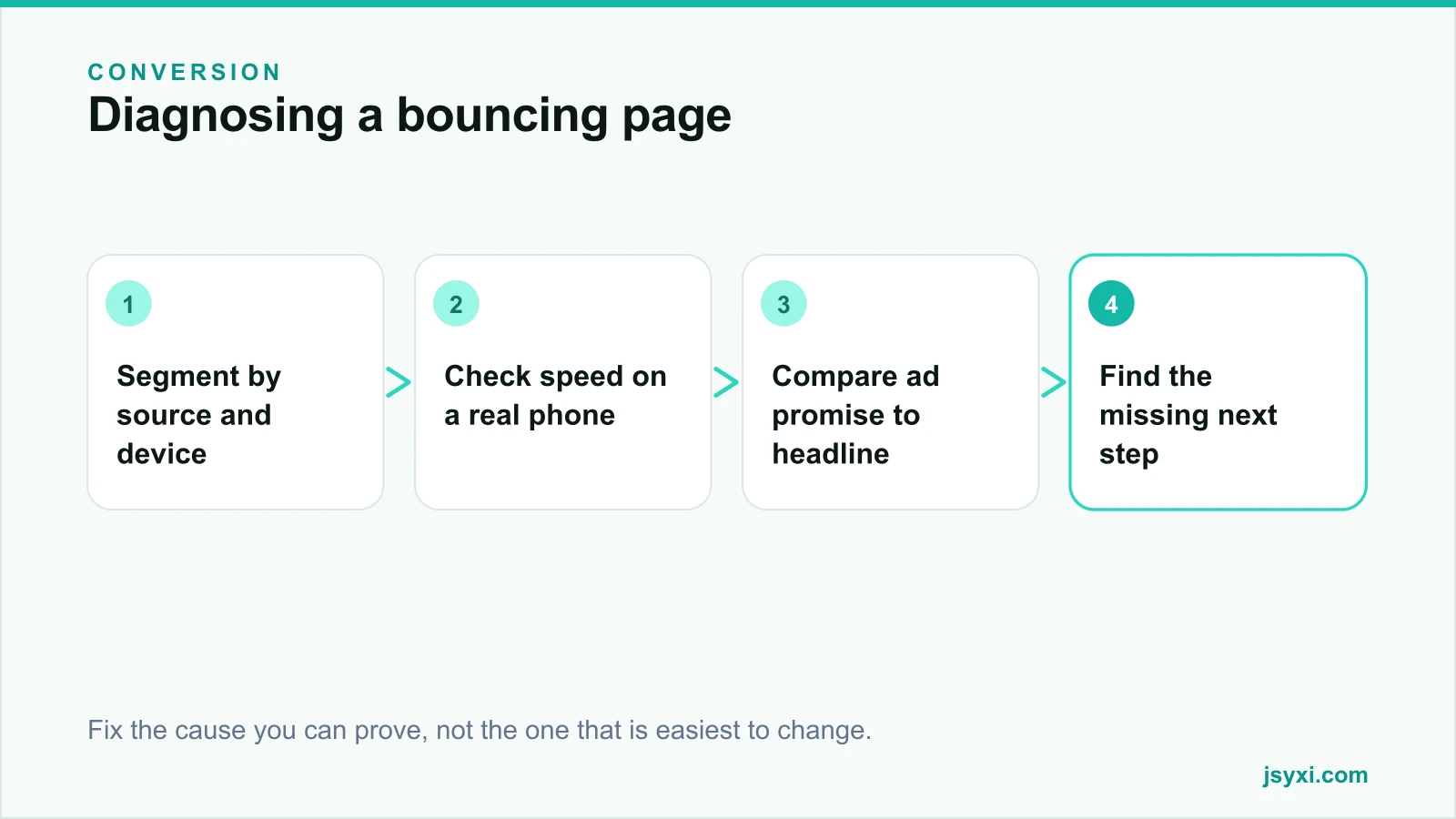
Segment bounce by source and device, pick the worst page, and check it in order: speed on a real phone, promise match, first-screen clarity, then next step. Fix one cause at a time so you know what worked.
Start free and make your landing pages answer the promise that brought people there.