
Ideas for better growth
How to Add an FAQ Accordion to Your Website
Chris Content · · 6 min read
Add a fast, accessible FAQ accordion to any website in minutes, write answers that deflect support tickets, and structure them so Google can read them.
An FAQ accordion is one of the few page elements that helps three audiences at once: the visitor who is one answer away from buying, the support agent who answers the same question forty times a month, and the search engine trying to understand what your page covers.
This guide covers how to choose the right questions, write answers that actually resolve doubt, add the accordion without touching your theme, and keep it honest as your business changes.
What an FAQ accordion is good at
An accordion collapses a long list of questions into scannable headings, so a visitor can find the one thing they care about without reading everything else. That makes it a good fit for:
- Pre-purchase objections on a product or service page
- Delivery, returns, warranty, and payment questions
- Onboarding or "how does this work" explanations
- Policy detail that would otherwise bury the main copy
It is a poor fit for content everyone must read. If ninety per cent of visitors need to know that you only ship within India, that belongs in visible copy, not behind a click.
Step 1: Collect questions from real sources
Do not invent questions. Pull them from places where customers already ask:
- Support inbox, WhatsApp threads, and chat transcripts
- Order-related emails and cancellation reasons
- Site search queries that returned nothing useful
- Sales calls and quotation follow-ups
- Review text and post-purchase surveys
Write each question the way the customer phrased it. "Will this fit a 5-foot sofa?" is a better heading than "Product dimensions". Customer phrasing also happens to match how people search.
Sort the raw list by frequency, then by cost. A question asked ten times a week is worth answering. A question asked twice a month that ends in a refund is also worth answering.
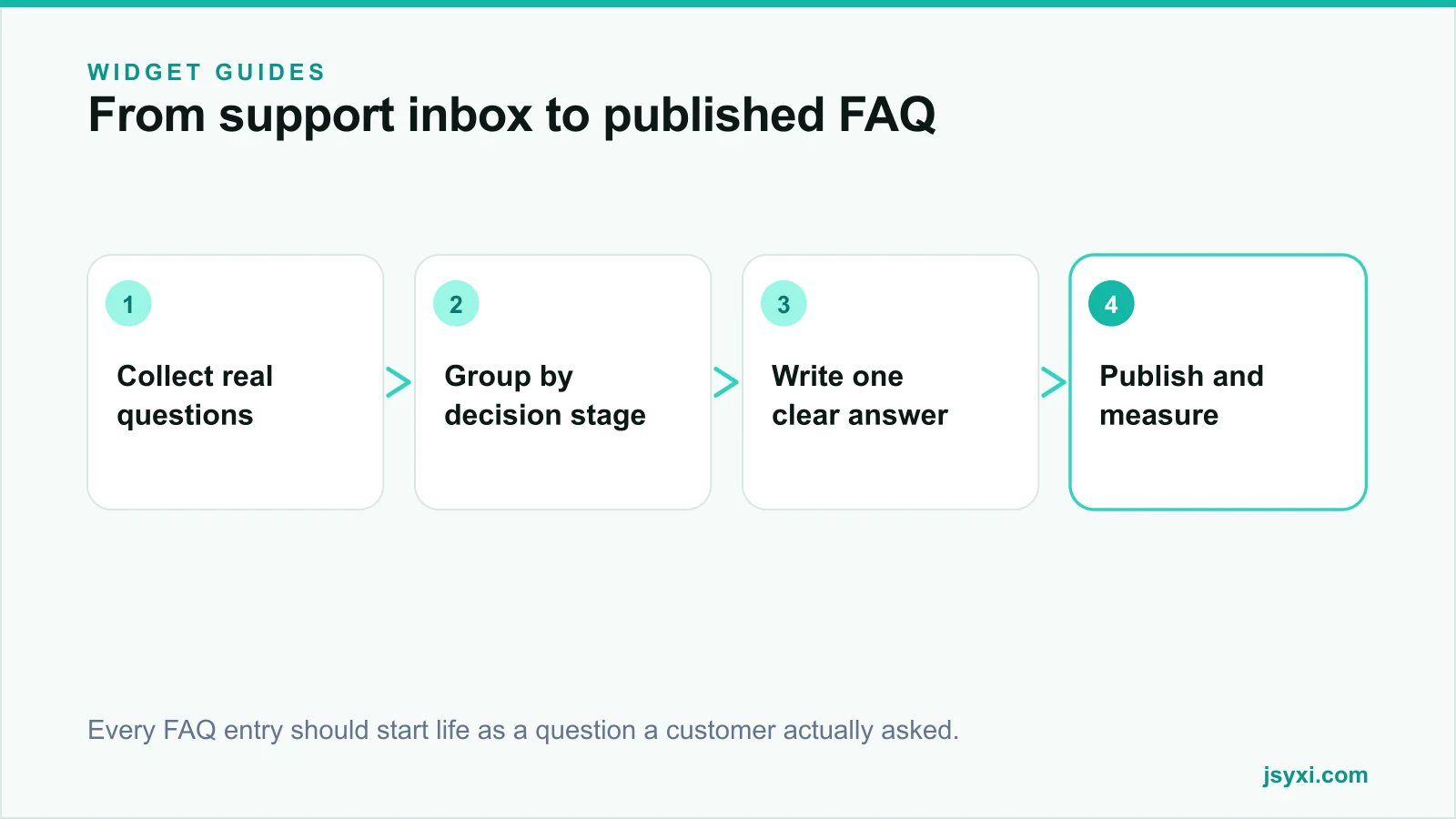
Step 2: Group by decision stage, not by department
Most FAQ sections are organised the way the company is organised: shipping, billing, technical. Customers do not think that way. They think in stages.
Group your questions into:
- Before choosing - what it is, who it suits, what it does not do
- Before paying - price, delivery time, payment methods, guarantees
- After buying - tracking, installation, returns, support routes
Then order the accordion so the earliest-stage questions appear first. A visitor scanning from the top should move through their own decision in sequence.
Step 3: Write answers that end the question
A useful answer is specific, complete, and honest about limits. Three rules help:
- Lead with the direct answer. "Yes, within 7 days of delivery" beats a paragraph of policy background.
- Give the exact number. Days, rupees, sizes, and conditions. Vague answers create a second question.
- Say what happens next. Link to the page, form, or contact route that completes the task.
Keep each answer to two to five sentences. If an answer genuinely needs more, publish a full page and link to it from the accordion.
Avoid marketing language inside answers. An FAQ is a trust surface. The moment it reads like a sales pitch, visitors stop believing it and go back to support.
Step 4: Add the accordion without editing your theme
You do not need a developer or a theme change. With the FAQ Accordion widget you configure the questions in a visual editor, publish, and paste one embed line where you want it to appear:
- Create the widget and pick a template.
- Add each question and answer, in decision-stage order.
- Match the heading weight and accent colour to your site.
- Publish, copy the embed snippet, and paste it into the page.
The embed snippet guide walks through where the line goes on common platforms. Because the content lives in your workspace, editing a delivery promise later is a two-minute change everywhere the widget appears, not a redeploy.
Step 5: Keep it accessible
An accordion is interactive, so it has to work for keyboard and screen-reader users:
- Every question must be reachable with the Tab key and toggle with Enter or Space
- Focus must stay visible on the active question
- The expanded state must be announced, not just implied by a rotating arrow
- Answer text must meet contrast requirements against the panel background
Test by unplugging your mouse and moving through the whole accordion. If you cannot open every answer, neither can a share of your visitors. Our website accessibility checklist covers the wider audit.
Step 6: Help search engines read it
Google can only surface FAQ content when it can parse a question-and-answer structure and the same content is visible on the page. Two things matter:
- The questions and answers must be present for every visitor, not loaded only after a click that fires a network request.
- The structured data must describe exactly what is on screen. Never mark up questions you do not display.
If you publish FAQs through a platform that emits the markup for you, verify it in Google's Rich Results Test after publishing. Our schema markup guide explains which types are worth the effort for a small business.
Common mistakes to avoid
- Padding the list. Twelve real questions beat forty invented ones. Empty entries dilute the page and waste scanning time.
- Hiding critical information. Shipping restrictions and non-returnable categories belong in visible copy as well.
- Letting answers go stale. An FAQ that still promises last year's delivery times destroys trust faster than no FAQ at all.
- One giant global FAQ. Product-specific questions belong on the product page, near the decision they affect.
- Opening every panel by default. That is just a long page with extra chrome.
Measure whether it worked
An FAQ is a support and conversion tool, so measure both:
- Support contacts about the covered topics, before and after
- Time on page and scroll depth for the section
- Conversion rate for sessions that expanded at least one answer
- Which questions get opened most, so you know what to promote into visible copy
If one question is opened far more than the rest, that is no longer an FAQ item. That is a fact your page is failing to communicate, and it should be promoted into the main content.
Frequently asked questions
How many questions should an FAQ accordion have?
Between six and fifteen for a product or service page. Fewer than six usually means you have not mined support data properly. More than fifteen means the section has become a knowledge base and should be split into its own page with search.
Do FAQ accordions hurt SEO because the text is hidden?
No. Content collapsed behind an accordion but present in the page is indexed normally. What causes problems is content that only exists after a user interaction triggers a fetch, because the crawler never sees it.
Where should the FAQ go on the page?
Below the main decision content and above the footer. On a product page that means after description, specifications, and reviews. Visitors who reach it are usually looking for one last reassurance before acting.
Can I use the same FAQ on every page?
You can, but a page-specific set performs better. A generic set answers the average visitor; a product-specific set answers the visitor in front of you. Reuse the widget and vary the questions.
Next steps
Pull thirty real questions out of your support inbox this week, keep the ten that repeat, and publish them with the FAQ Accordion widget. Pair it with the WhatsApp Chat widget so the questions you have not answered yet still reach a human, and review the list every quarter against fresh support data.
Ready to build one? Start free and publish your first accordion today.